
You type 40 words per minute. You speak 150. That’s a 3x gap sitting there every day, and most people never fix it.
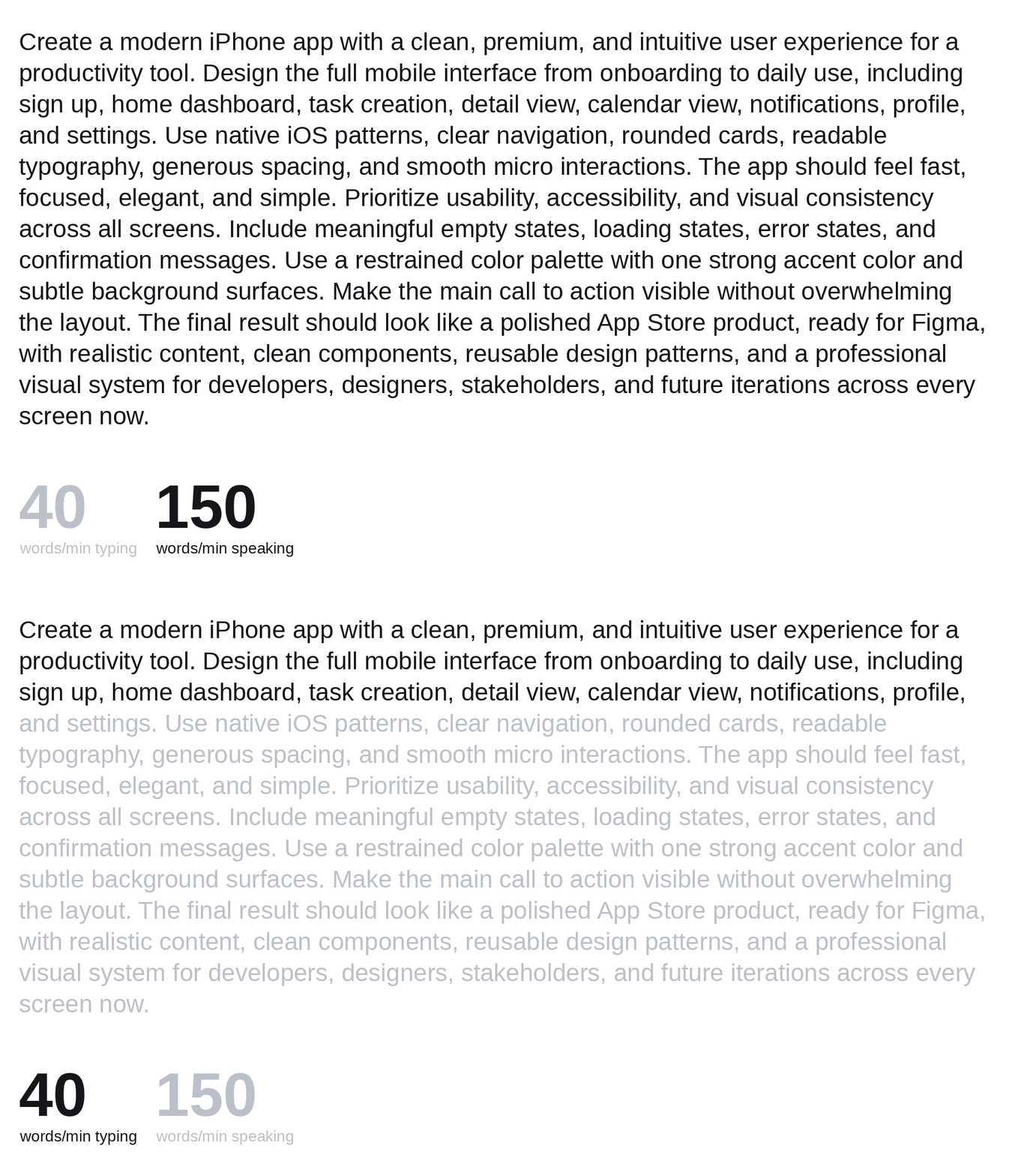
I stopped typing most of my work and started speaking instead. Prompts, Slack messages, design notes, docs.
I press a hotkey, I talk, and the text appears. Not into a recorder. Directly into whatever I’m working in.
https://medium.com/media/5f809cc17cce18118c576fc9fdc0b7b5/href
This is the workflow. Five minutes to set up.
The bottleneck nobody talks about
For me, the hidden bottleneck wasn’t ideas. It was getting them out of my head and into text. Typing slows that down. You lose the thread while your fingers catch up.
Speaking removes that friction. You think and talk at the same speed. And when you’re not fighting the keyboard, you capture more of what you actually meant.
This works for everything you’d normally type: prompts, user flows, feedback, Slack messages, ideas you don’t want to lose.
The two tools: Whisper Flow and Handy
Both tools work the same way. You set a hotkey, press it, talk, and the text drops wherever your cursor is.
WhisperFlow
WhisperFlow is the polished one. There’s a free plan that gives you 2,000 words a week, and a Pro plan at €12/month for unlimited words across all your devices.
https://medium.com/media/b6ff6f57f8f27336e1e5a9ca636b327d/href
If you’re writing constantly, Pro pays for itself fast. You press Function, start talking, and the text is there when you finish. There are two modes: release to send, or hold while talking (Function + Space). Pick whichever feels natural.
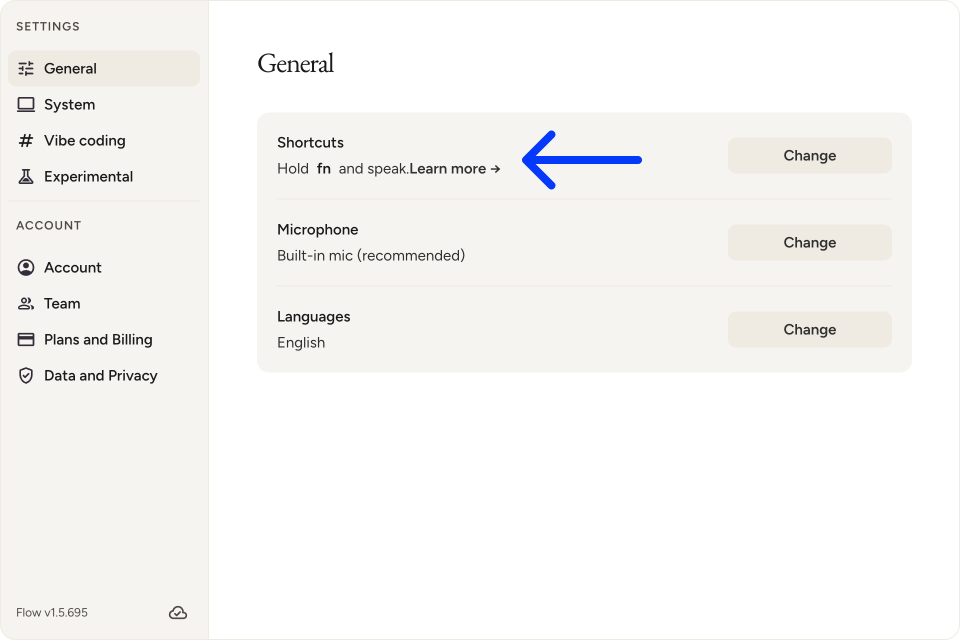
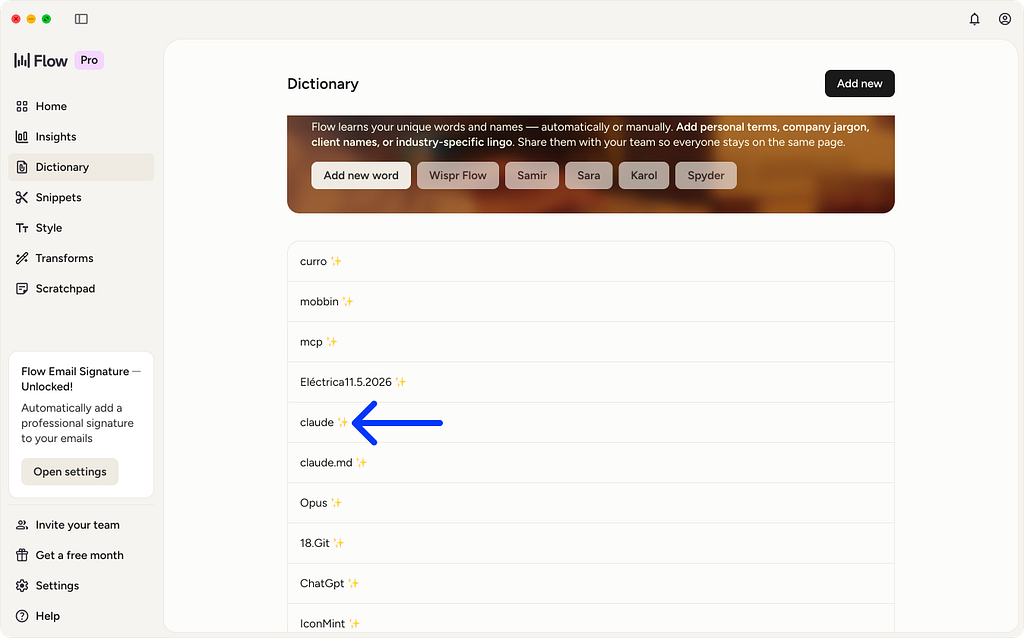
What makes it smart is that it learns from you. I said “Claude” once, and it kept transcribing it as “cloud.” I corrected it once, and the AI of the tool added it to the dictionary automatically, and it never got it wrong again.
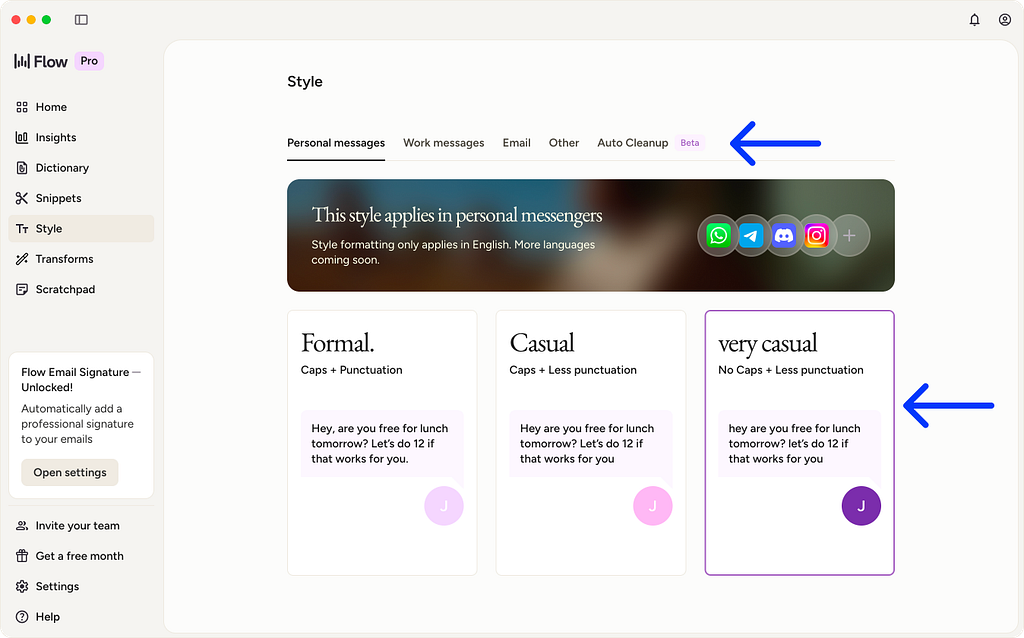
It also has style settings. You can tell it you’re writing a casual Slack message or a formal email, and it will shape your speech to match. It doesn’t just transcribe. It improves the text based on the context you set.
Handy
Handy is free and open source. Same idea: hotkey, talk, text appears. But it runs entirely on your computer. Nothing goes to the cloud. If privacy matters to you, this is the one.
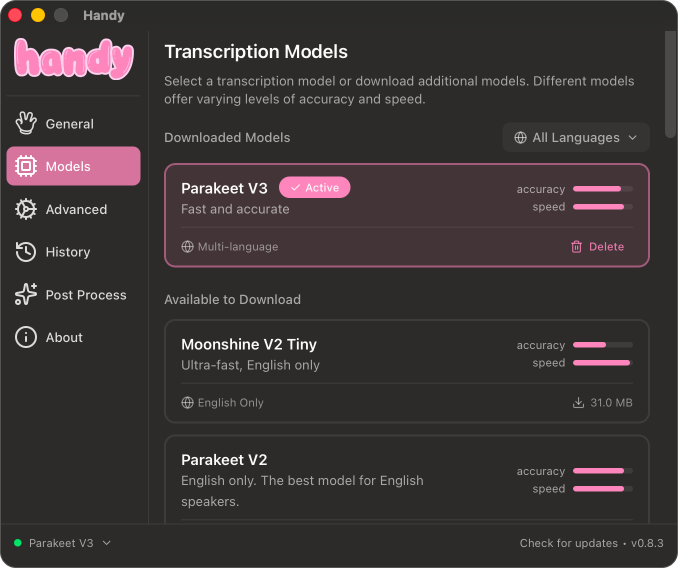
The tradeoff is speed. It uses a local model, so it’s slower on machines with less RAM. I use a MacBook Air M2 with 8GB of RAM and it takes a bit longer. On a machine with 16GB or more, it runs much faster.But still for my case it work perfect.
Handy also has a post-processing mode. You speak, and then an LLM takes your words and rewrites them through a prompt before dropping the text.
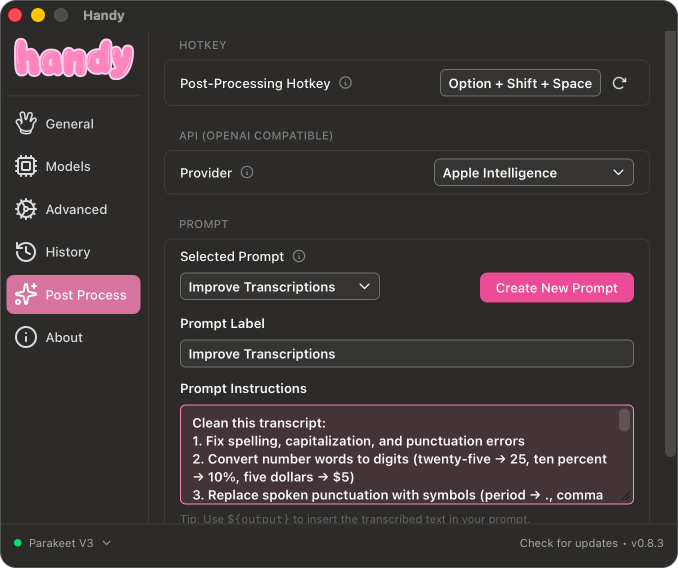
You choose the prompt, the model (Apple Intelligence, OpenAI, Anthropic, or local), and the hotkey. It’s more manual than WhisperFlow, but it gives you a lot of control.
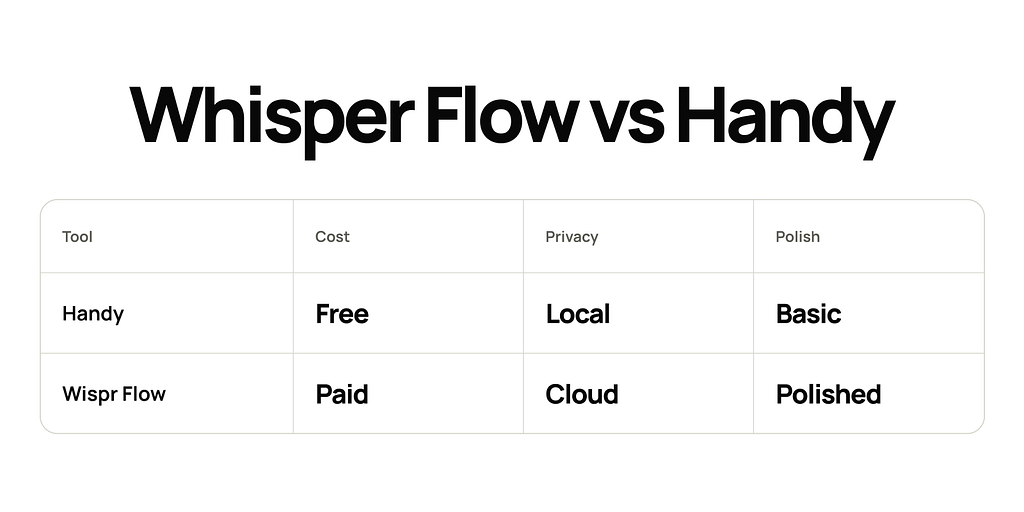
Whisper Flow vs Handy: which one is for you
Pick Whisper Flow if you type constantly and want something that just works. It adapts to you and handles different contexts without extra setup.
Pick Handy if privacy is a priority, you prefer local processing, or you want to try voice-to-text before paying for anything.
Where to use this
Anything you’d normally type works here. Some places where it helps most:
Prompts. You speak faster than you type, and longer prompts tend to get better results. Just talk through what you want.
Design review. Open the file, press the hotkey, describe what you see. Feedback is more natural when you say it out loud.
User flows. Narrate the flow. The LLM will clean up the structure.
Feedback on work. Click into a comment field, press the hotkey, say what you think. Done.
Ideas. When something comes to you, capture it immediately. No notes app, no switching context.
Slack messages. This one changes the most. Stop typing paragraphs and just speak them.
One thing to know when you start: don’t overthink it. Press the hotkey and talk. You can pause, go off-track, say things that don’t connect. The LLM will make it coherent. The goal is to get the thought out fast.
One more thing
If you already use ChatGPT or Claude, both have a voice input button built in. Click it, speak, and your message is transcribed. No extra tool needed there.
Stop typing. Start speaking. It’s one of the smallest changes with the biggest return.

Stop Typing. Start Speaking. was originally published in UX Planet on Medium, where people are continuing the conversation by highlighting and responding to this story.
You type 40 words per minute. You speak 150. That’s a 3x gap sitting there every day, and most people never fix it.I stopped typing most of my work and started speaking instead. Prompts, Slack messages, design notes, docs.I press a hotkey, I talk, and the text appears. Not into a recorder. Directly into whatever I’m working in.https://medium.com/media/5f809cc17cce18118c576fc9fdc0b7b5/hrefThis is the workflow. Five minutes to set up.The bottleneck nobody talks aboutFor me, the hidden bottleneck wasn’t ideas. It was getting them out of my head and into text. Typing slows that down. You lose the thread while your fingers catch up.Speaking removes that friction. You think and talk at the same speed. And when you’re not fighting the keyboard, you capture more of what you actually meant.This works for everything you’d normally type: prompts, user flows, feedback, Slack messages, ideas you don’t want to lose.The two tools: Whisper Flow and HandyBoth tools work the same way. You set a hotkey, press it, talk, and the text drops wherever your cursor is.WhisperFlowWhisperFlow is the polished one. There’s a free plan that gives you 2,000 words a week, and a Pro plan at €12/month for unlimited words across all your devices.https://medium.com/media/b6ff6f57f8f27336e1e5a9ca636b327d/hrefIf you’re writing constantly, Pro pays for itself fast. You press Function, start talking, and the text is there when you finish. There are two modes: release to send, or hold while talking (Function + Space). Pick whichever feels natural.What makes it smart is that it learns from you. I said “Claude” once, and it kept transcribing it as “cloud.” I corrected it once, and the AI of the tool added it to the dictionary automatically, and it never got it wrong again.It also has style settings. You can tell it you’re writing a casual Slack message or a formal email, and it will shape your speech to match. It doesn’t just transcribe. It improves the text based on the context you set.HandyHandy is free and open source. Same idea: hotkey, talk, text appears. But it runs entirely on your computer. Nothing goes to the cloud. If privacy matters to you, this is the one.The screen where you select a modelThe tradeoff is speed. It uses a local model, so it’s slower on machines with less RAM. I use a MacBook Air M2 with 8GB of RAM and it takes a bit longer. On a machine with 16GB or more, it runs much faster.But still for my case it work perfect.Handy also has a post-processing mode. You speak, and then an LLM takes your words and rewrites them through a prompt before dropping the text.You choose the prompt, the model (Apple Intelligence, OpenAI, Anthropic, or local), and the hotkey. It’s more manual than WhisperFlow, but it gives you a lot of control.Whisper Flow vs Handy: which one is for youPick Whisper Flow if you type constantly and want something that just works. It adapts to you and handles different contexts without extra setup.Pick Handy if privacy is a priority, you prefer local processing, or you want to try voice-to-text before paying for anything.Where to use thisAnything you’d normally type works here. Some places where it helps most:Prompts. You speak faster than you type, and longer prompts tend to get better results. Just talk through what you want.Design review. Open the file, press the hotkey, describe what you see. Feedback is more natural when you say it out loud.User flows. Narrate the flow. The LLM will clean up the structure.Feedback on work. Click into a comment field, press the hotkey, say what you think. Done.Ideas. When something comes to you, capture it immediately. No notes app, no switching context.Slack messages. This one changes the most. Stop typing paragraphs and just speak them.One thing to know when you start: don’t overthink it. Press the hotkey and talk. You can pause, go off-track, say things that don’t connect. The LLM will make it coherent. The goal is to get the thought out fast.One more thingIf you already use ChatGPT or Claude, both have a voice input button built in. Click it, speak, and your message is transcribed. No extra tool needed there.Stop typing. Start speaking. It’s one of the smallest changes with the biggest return.Stop Typing. Start Speaking. was originally published in UX Planet on Medium, where people are continuing the conversation by highlighting and responding to this story. ux, ui, design, ai, product-design