
For decades, creating a product presentation required at least two tools: one tool was used to craft actual UI design and another tool to build a slide deck that will present it to the audience.
Figma + PowerPoint was a powerful combo:
- You design screens, diagrams, and illustrations in Figma.
- Then you would move those assets into PowerPoint, arrange them into slides, add speaker notes, and prepare the final deck.
But things changed and modern tools like Gamma promise a much simpler workflow.
Give it a topic, upload a document, or paste an outline, and it can generate a complete presentation in minutes.
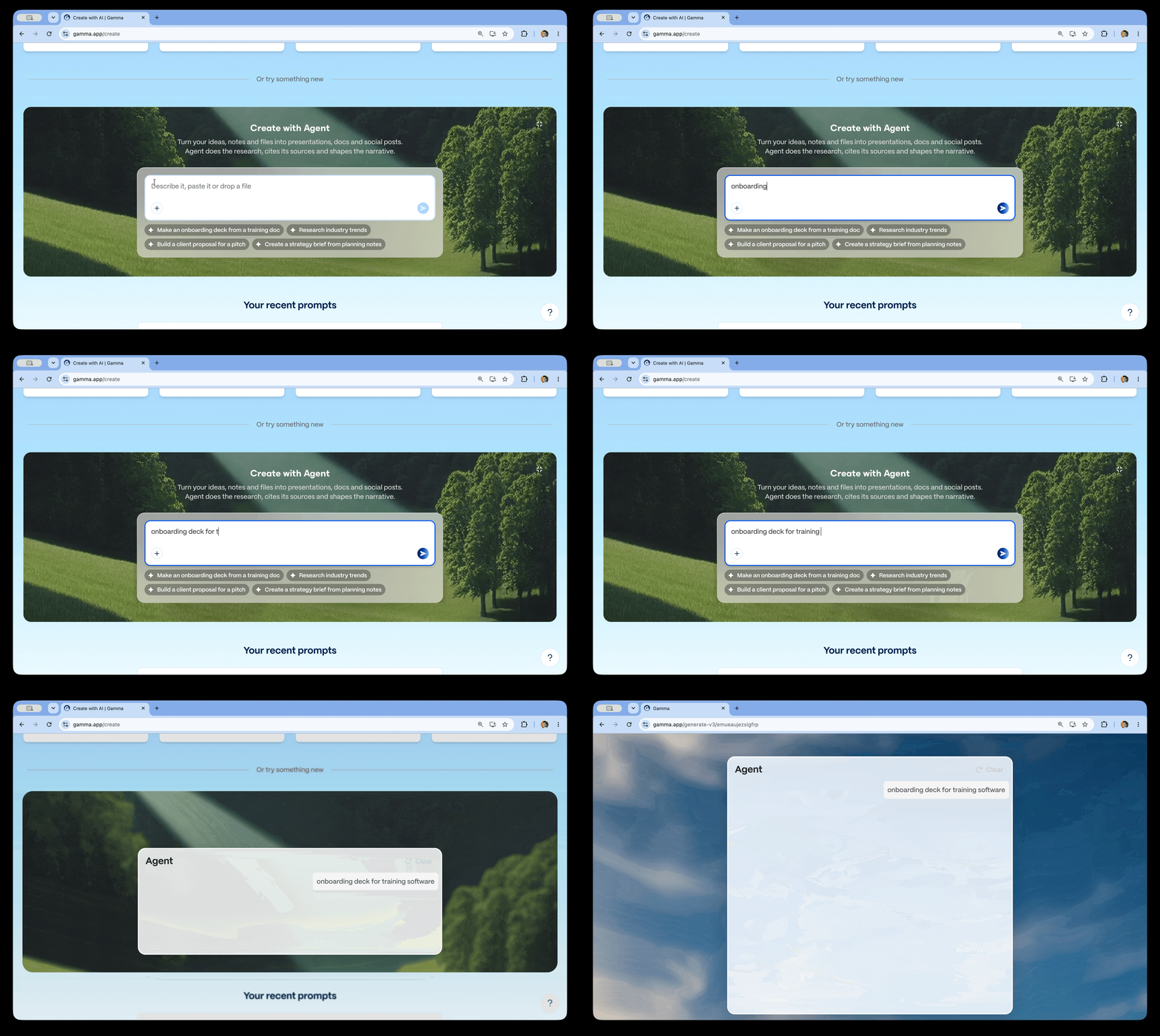
But can Gamma fully replace both PowerPoint & Figma?
The answer depends on what you expect a product presentation to do.
Product presentations are more than collections of slides
A good product presentation has three layers:
- Narrative: The problem, argument, evidence, and conclusion.
- Visual communication: Screens, diagrams, charts, and supporting imagery.
- Presentation mechanics: Speaker notes, animations, collaboration, exporting, and delivery.
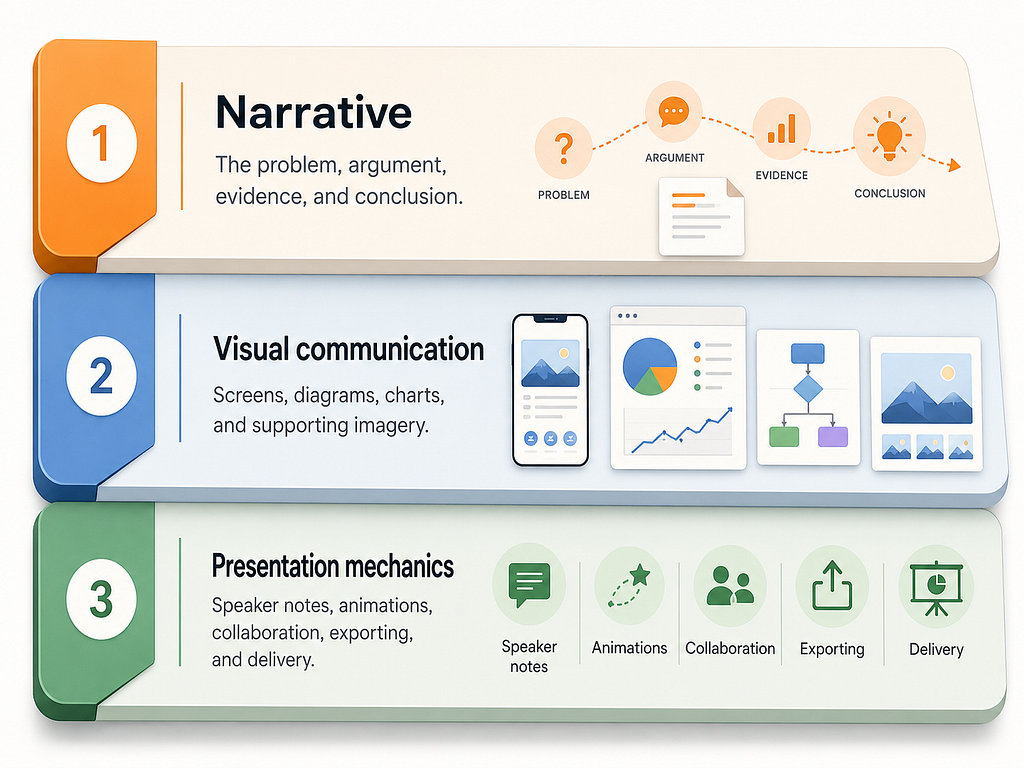
While Narrative layer is defined by a creator of a presentation, two other layers are defined by tools.
PowerPoint is primarily built around the third layer.
Figma is strongest at the second.
When it comes to creating slide decks, most designers still create the first layer manually using documents, sticky notes, or an empty slide deck.
But when it comes to AI co-creation tools like Gamma they can handle all three layers.
That is what makes it interesting. It is not simply another slide editor with an AI button. It changes the starting point of the presentation workflow.
Instead of designing slides one by one, you begin with an idea.
Gamma is particularly good for async presentations
Traditional slide decks are usually designed to support a speaker. Without the speaker’s explanation, many slides lose their meaning.
But Gamma is better suited to presentations that people consume independently because its structure allows a frame to contain more context than a conventional slide.

This is valuable when sending:
- A startup pitch before a meeting
- A design proposal to stakeholders
- A project update to a distributed team
- A sales presentation to potential clients
- A product concept to decision-makers
With PowerPoint, you typically know that someone received the file.
With Gamma, you can gain some understanding of how they interacted with it.
Where Gamma cannot replace Figma and PowerPoint
Gamma is efficient because it makes many design decisions for you.
That is also its biggest limitation.
Product designers often need precise control over composition. They may want to position a small annotation beside a specific interface element, create a custom journey map, use an unusual grid, or build a visual transition across several slides.
Both Figma & PowerPoint are designed for this type of work. Gamma is not.
Gamma lets you resize, reposition, and replace images, but its image-editing capabilities remain more limited than a dedicated design tool. Its documentation notes that advanced image editing is not supported directly inside the editor.
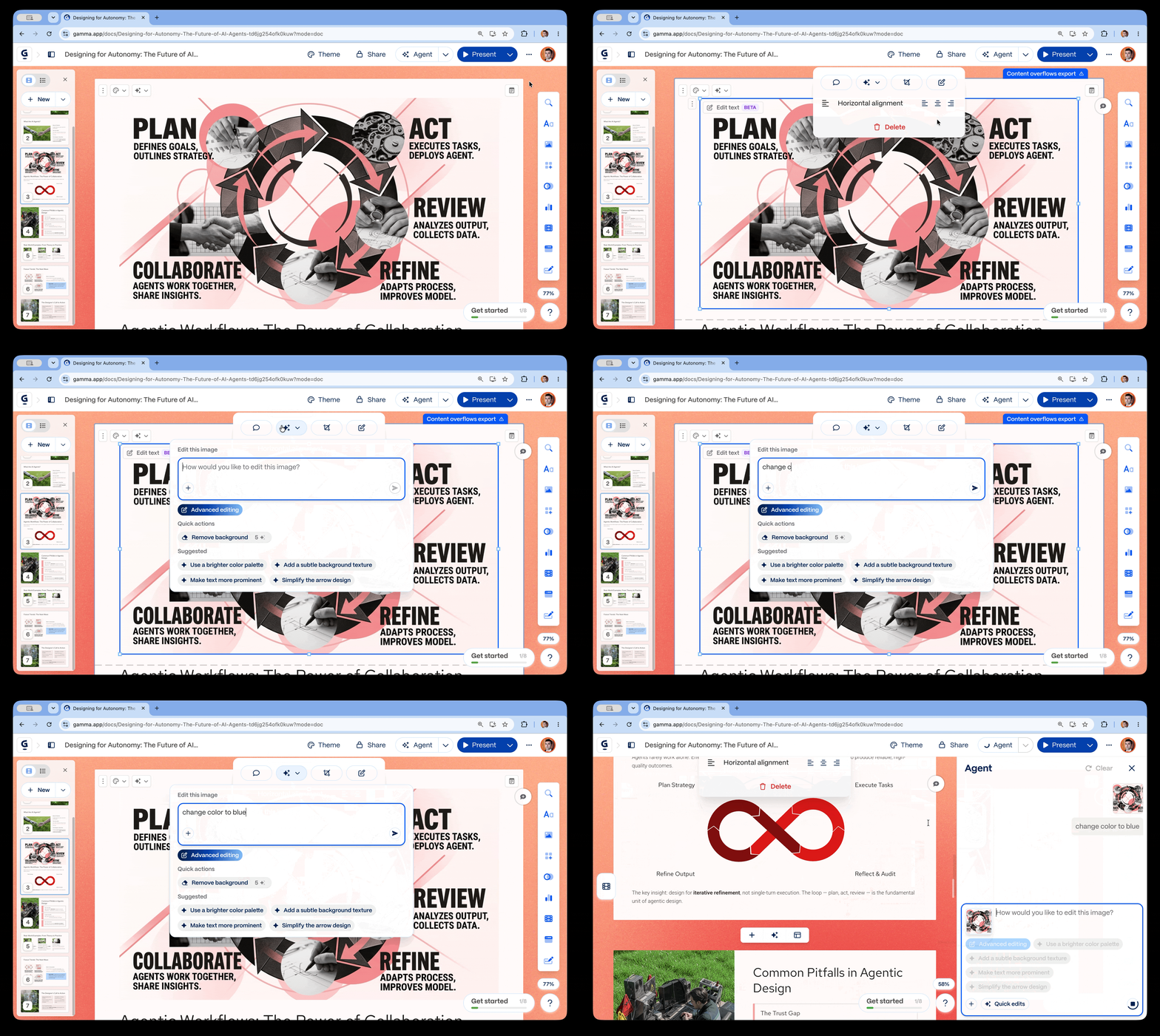
Gamma becomes restrictive when a presentation requires:
- Pixel-perfect product screens
- Detailed interface annotations
- Complex user flows
- Custom data visualisations
- Original illustrations
- Sophisticated diagrams
- Precise typography
- Highly art-directed layouts
- Reusable design-system components
You can create an attractive presentation in Gamma, but creating a genuinely distinctive visual language is more difficult.
Summary
The tool you choose to use should help you solve the problem effective. And when it comes to choosing between Figma & PowerPoint or Gamma, you need to focus on the task at hand.
A simple rule I follow when choosing toolkit: pick the tool by who consumes the deck and how.
- Read alone, no speaker, and you want to know who engaged → Gamma
- Presented live by you, to a room, with product work as the subject → Figma Slides
- Handed to a company, edited by people you’ll never meet, presented offline → PowerPoint

Can Gamma Replace PowerPoint and Figma for Product Presentations? was originally published in UX Planet on Medium, where people are continuing the conversation by highlighting and responding to this story.
For decades, creating a product presentation required at least two tools: one tool was used to craft actual UI design and another tool to build a slide deck that will present it to the audience.Figma + PowerPoint was a powerful combo:You design screens, diagrams, and illustrations in Figma.Then you would move those assets into PowerPoint, arrange them into slides, add speaker notes, and prepare the final deck.But things changed and modern tools like Gamma promise a much simpler workflow.Give it a topic, upload a document, or paste an outline, and it can generate a complete presentation in minutes.Generating a slide deck with Gamma.But can Gamma fully replace both PowerPoint & Figma?The answer depends on what you expect a product presentation to do.Product presentations are more than collections of slidesA good product presentation has three layers:Narrative: The problem, argument, evidence, and conclusion.Visual communication: Screens, diagrams, charts, and supporting imagery.Presentation mechanics: Speaker notes, animations, collaboration, exporting, and delivery.Narrative, visual communication and presentation mechanics are three key layers of a good presentation.While Narrative layer is defined by a creator of a presentation, two other layers are defined by tools.PowerPoint is primarily built around the third layer.Figma is strongest at the second.When it comes to creating slide decks, most designers still create the first layer manually using documents, sticky notes, or an empty slide deck.But when it comes to AI co-creation tools like Gamma they can handle all three layers.That is what makes it interesting. It is not simply another slide editor with an AI button. It changes the starting point of the presentation workflow.Instead of designing slides one by one, you begin with an idea.Gamma is particularly good for async presentationsTraditional slide decks are usually designed to support a speaker. Without the speaker’s explanation, many slides lose their meaning.But Gamma is better suited to presentations that people consume independently because its structure allows a frame to contain more context than a conventional slide.Slide deck created in Gamma.This is valuable when sending:A startup pitch before a meetingA design proposal to stakeholdersA project update to a distributed teamA sales presentation to potential clientsA product concept to decision-makersWith PowerPoint, you typically know that someone received the file.With Gamma, you can gain some understanding of how they interacted with it.Where Gamma cannot replace Figma and PowerPointGamma is efficient because it makes many design decisions for you.That is also its biggest limitation.Product designers often need precise control over composition. They may want to position a small annotation beside a specific interface element, create a custom journey map, use an unusual grid, or build a visual transition across several slides.Both Figma & PowerPoint are designed for this type of work. Gamma is not.Gamma lets you resize, reposition, and replace images, but its image-editing capabilities remain more limited than a dedicated design tool. Its documentation notes that advanced image editing is not supported directly inside the editor.Gamma becomes restrictive when a presentation requires:Pixel-perfect product screensDetailed interface annotationsComplex user flowsCustom data visualisationsOriginal illustrationsSophisticated diagramsPrecise typographyHighly art-directed layoutsReusable design-system componentsYou can create an attractive presentation in Gamma, but creating a genuinely distinctive visual language is more difficult.SummaryThe tool you choose to use should help you solve the problem effective. And when it comes to choosing between Figma & PowerPoint or Gamma, you need to focus on the task at hand.A simple rule I follow when choosing toolkit: pick the tool by who consumes the deck and how.Read alone, no speaker, and you want to know who engaged → GammaPresented live by you, to a room, with product work as the subject → Figma SlidesHanded to a company, edited by people you’ll never meet, presented offline → PowerPointCan Gamma Replace PowerPoint and Figma for Product Presentations? was originally published in UX Planet on Medium, where people are continuing the conversation by highlighting and responding to this story. figma, design, presentation-design